 SyncGallery
Find duplicate photos and similar shots
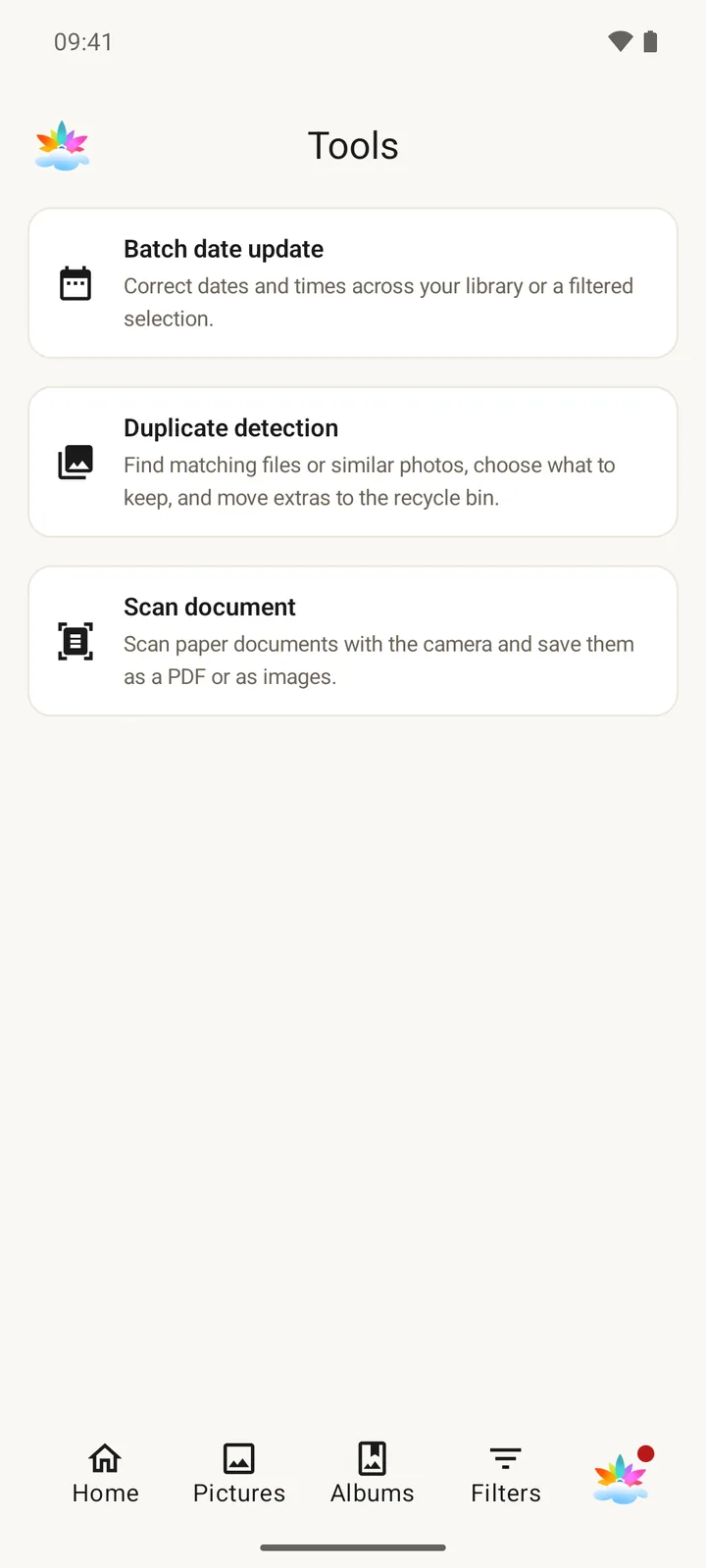
Before a big cleanup, check that your photos are backed up. In SyncGallery, tap the app-logo button at the right end of the bottom bar, choose Tools and open Duplicate detection. Choose the mode that fits your collection:
- Matching files finds photo and video copies with identical file contents, even when their names or folders differ. It needs readable local originals.
- Similar photos groups visually similar photos and videos, including burst shots and edited versions. These are candidates to compare, rather than proof that a copy is unwanted.
Focus on an album, folder or date range when you want to tidy one collection at a time.
Get help choosing your best photos
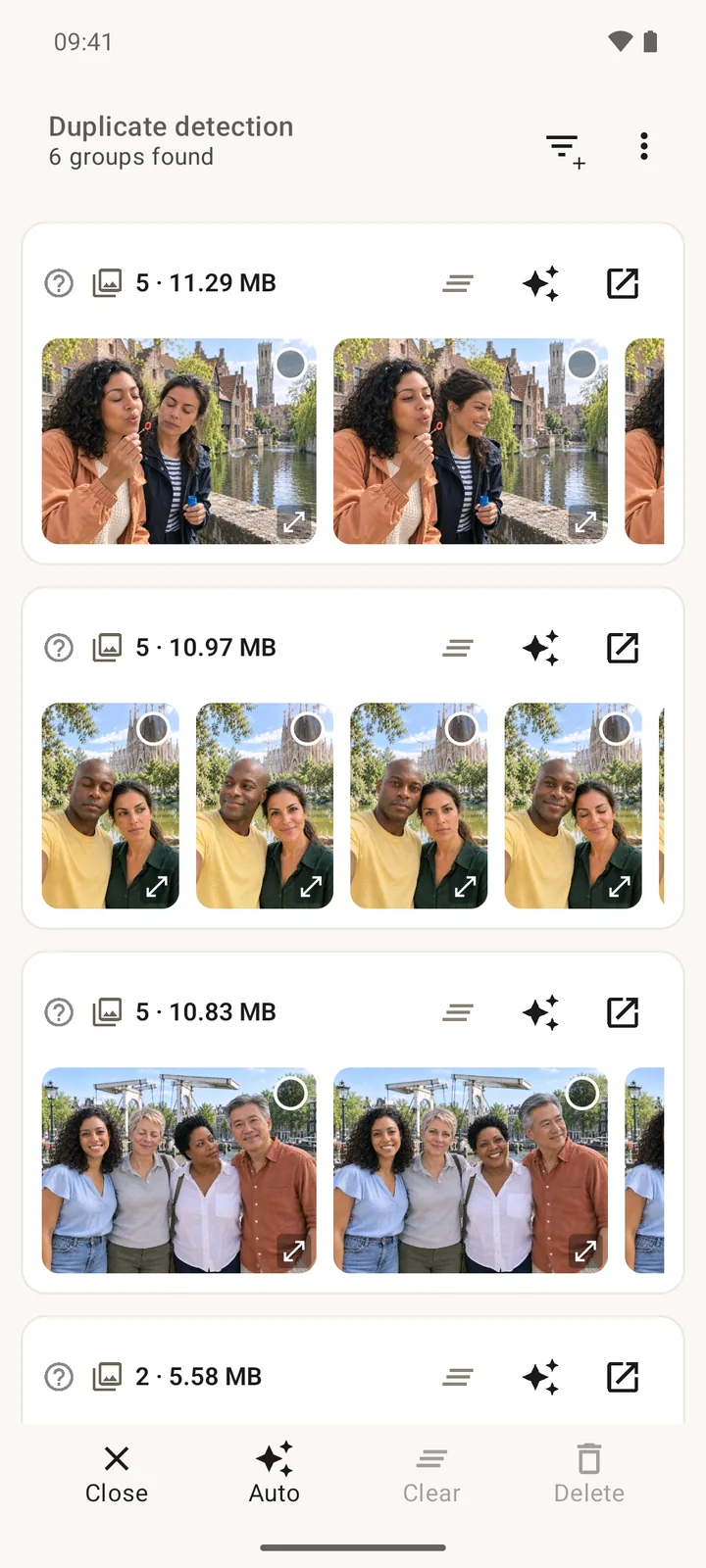
Several takes of the same moment? Auto can suggest a keeper and mark the extras for removal. Choose the priorities that matter to you: sharpness, higher dimensions or a preferred folder. For portraits, you can also prioritize open eyes, smiles and looking at the camera.
You control the order of these criteria. Face-based choices need optional Face recognition enabled in Settings and completed photo analysis; they do not judge expressions in videos.
Auto makes suggestions, not deletions. You can change its choices or keep more than one version.
Compare the moments that matter
Open a group's preview and browse its filmstrip to compare expressions, edits and details. Info shows the file's location, dimensions, size and date. Pick keeps the displayed item and marks the rest of that group for removal.
Use the preview icon to compare: tapping a thumbnail in the group list marks that file for removal.
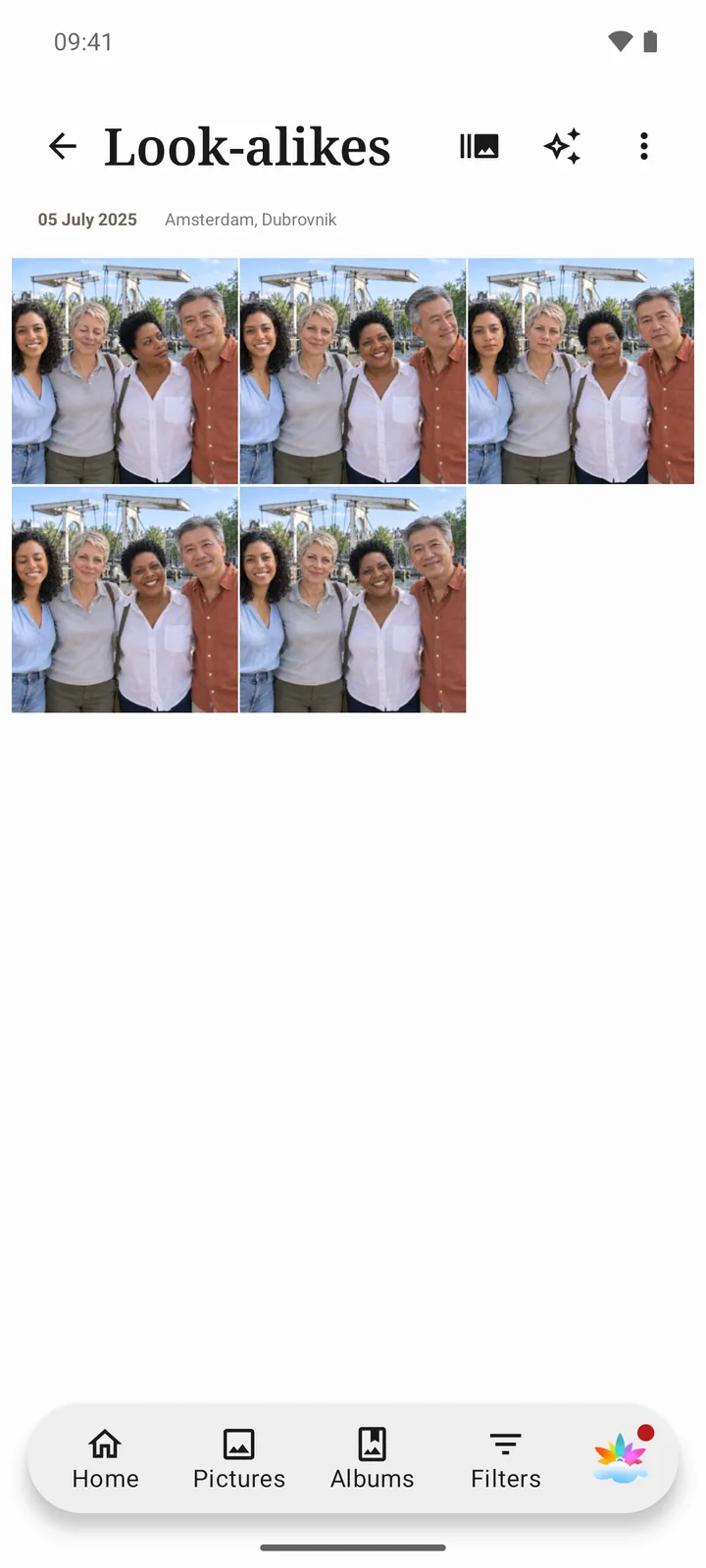
While you browse the gallery, the photo preview shows a badge on a photo that SyncGallery has grouped with look-alike shots. Tap the badge to open Look-alikes, a grid of those shots.

Duplicates often come from several clouds and drives. To compare them all at once, bring every photo you own into one gallery.
Remove the extras when you are ready
Review the marks in the group list and check that your keepers remain. Tap Delete, check Review deletion, then confirm Move to recycle bin when the selection is right.
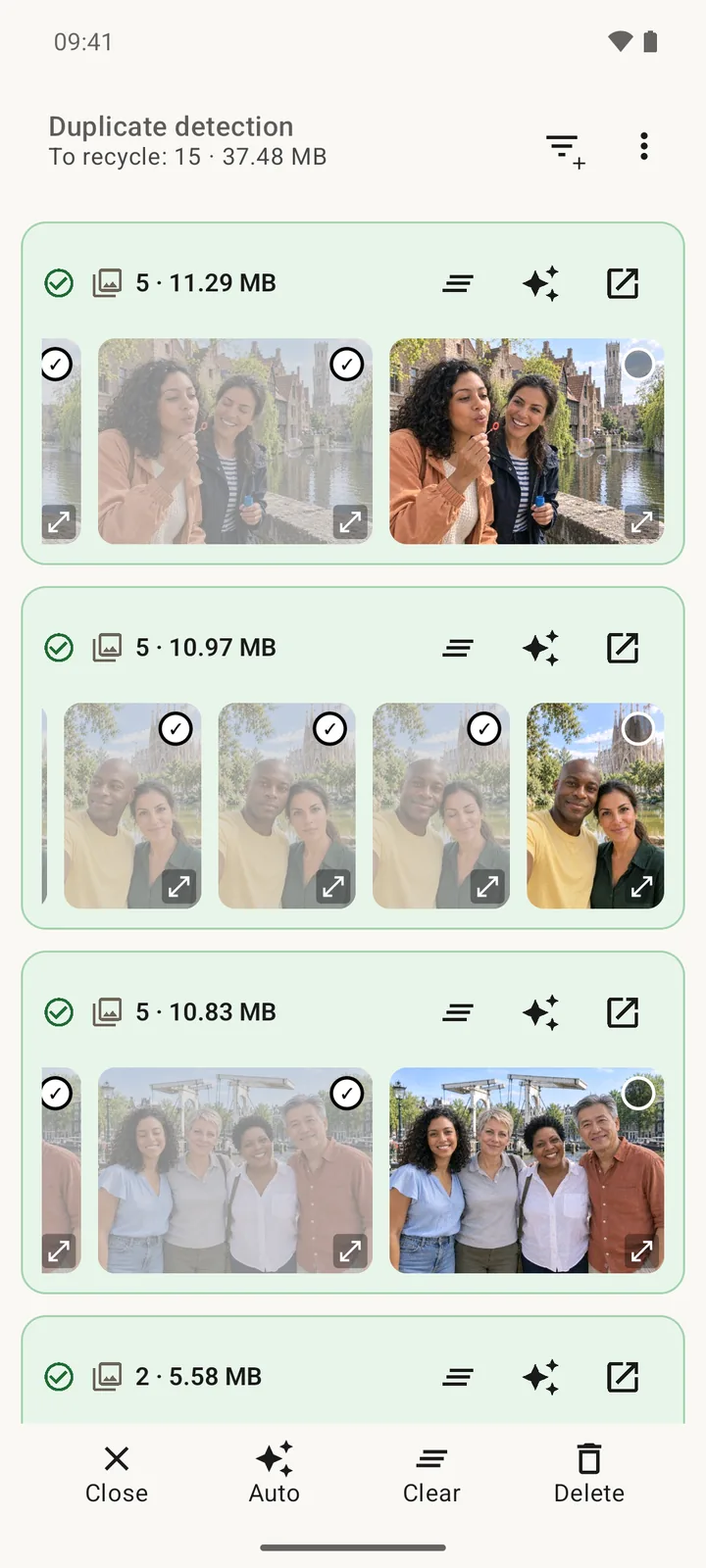
Recycled files still use storage until permanently removed. See Recycle Bin and recovery. If the folder is synced, check what phone deletion means for cloud copies before cleaning up.
Two useful things to know
Does it find duplicate videos? Yes, both modes support videos. Play similar clips before removing them: visual similarity does not establish identical sound or endings.
Why are some results missing? Check your filters, media access and analysis progress. Groups can appear as preparation completes.
Explore related features