
The short version
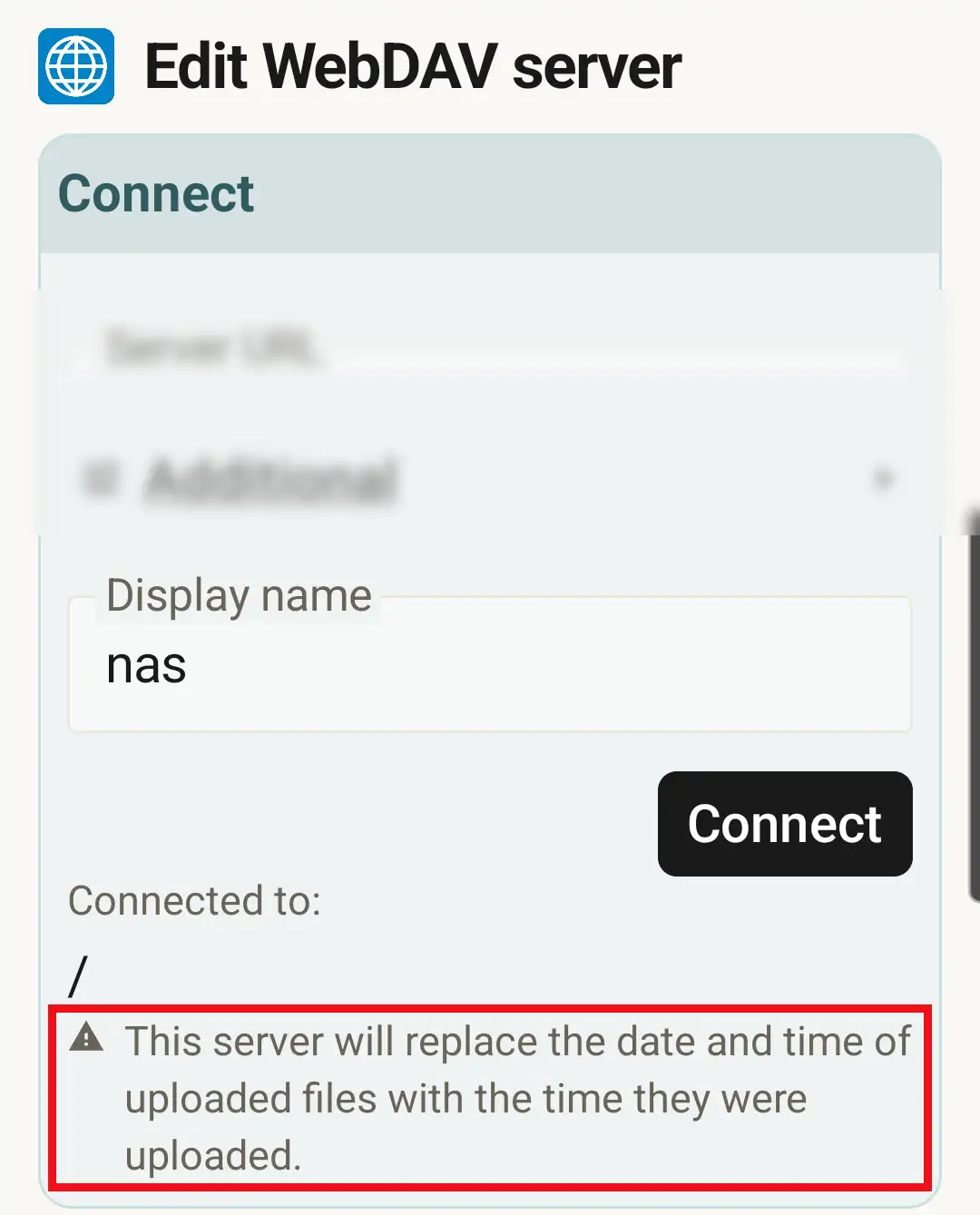
When SyncGallery uploads a file to a WebDAV server, it asks the server to keep the file's original date and time. Some servers cannot honor that request: every uploaded file gets stamped with the moment it arrived on the server instead. Whether a server preserves dates depends on the server software and how it is configured, so SyncGallery checks for this when you set up the connection - and if the server cannot preserve dates, you see the notice shown above:
This server will replace the date and time of uploaded files with the time they were uploaded.
The rest of this post explains where that limitation comes from.
Where file dates live in WebDAV
WebDAV is an extension of HTTP, defined in RFC 4918. A file's modification date is exposed through a property named getlastmodified, and properties are changed with a request called PROPPATCH. The catch is in how the standard classifies this property. RFC 4918 defines:
A protected property is one that cannot be changed with a PROPPATCH request.
and says about getlastmodified:
SHOULD be protected because some clients may rely on the value for appropriate caching behavior, or on the value of the Last-Modified header to which this property is linked.
In other words, the standard itself recommends that servers refuse attempts to set this date, because web clients and caches may rely on it. Following that recommendation, many WebDAV servers treat the modification date as read-only, and the standard offers no alternative, portable way to set it. The rclone documentation states it plainly: "Plain WebDAV does not support modified times."
How real servers behave
Apache HTTP Server. Apache's WebDAV module (mod_dav) registers getlastmodified as a read-only property - you can see the flag directly in its source code. The date it reports is simply the time the file was written to the server's disk, and no released Apache version offers any way for a client to change it. So on a stock Apache WebDAV server, uploaded files always carry the upload time. (Apache's unreleased development branch adds an opt-in DavHonorMtimeHeader directive that changes this, but as of August 2026 it has not shipped in any stable release.)
Nextcloud and ownCloud. Their WebDAV endpoint is built on the sabre/dav framework, which protects getlastmodified by default, and exactly which property update these platforms accept has shifted across versions. The mechanism both reliably support is a non-standard extension: an X-OC-MTime header sent with the upload itself, which tells the server what modification time to record. According to the rclone documentation, Fastmail Files and rclone's own WebDAV server honor the same header. On these servers, file dates survive uploads.
Everything else. Behavior varies. A few servers accept a property update for the date; many behave like stock Apache and accept none of the known mechanisms.
What SyncGallery does about it
Two things.
First, every WebDAV upload from SyncGallery includes the file's real modification time in the X-OC-MTime header, so servers that understand it (Nextcloud, ownCloud, Fastmail, rclone, and others) preserve your dates automatically.
Second, when you connect to a WebDAV or Nextcloud server, SyncGallery runs a small capability check rather than assuming anything: it uploads a tiny temporary file with a known timestamp, reads back what date the server actually recorded, and if the timestamp did not survive, tries the known fallback mechanisms (property updates for lastmodified and getlastmodified). The temporary file is then deleted. If none of the mechanisms works, the connection screen shows the notice from the screenshot above - before you have synced anything.
The notice is informational, not an error. Sync works normally on such servers; you just know in advance that the server-side copies will show upload times instead of the original dates.
What it means for your files
The file contents are unaffected - files are uploaded byte for byte, so a photo's capture date stored inside the image itself (its EXIF data) is untouched, and the files on your device keep their dates regardless of the server. What changes is only the modification date the server shows in its own listings.
If server-side dates matter to your workflow - for example, you browse the backup directly on the server and sort by date - choose server software that can preserve them. And because SyncGallery probes the server when you connect, you find out immediately whether yours does.
Further reading
- RFC 4918, section 15.7 - the
getlastmodifiedproperty definition - rclone WebDAV documentation - which providers support modification times
- sabre/dav issue: PROPPATCH of getlastmodified - why the framework protects the date property
- ownCloud issue: proppatch lastmodified instead of getlastmodified - how the accepted mechanism changed across versions