Pick the storage you trust
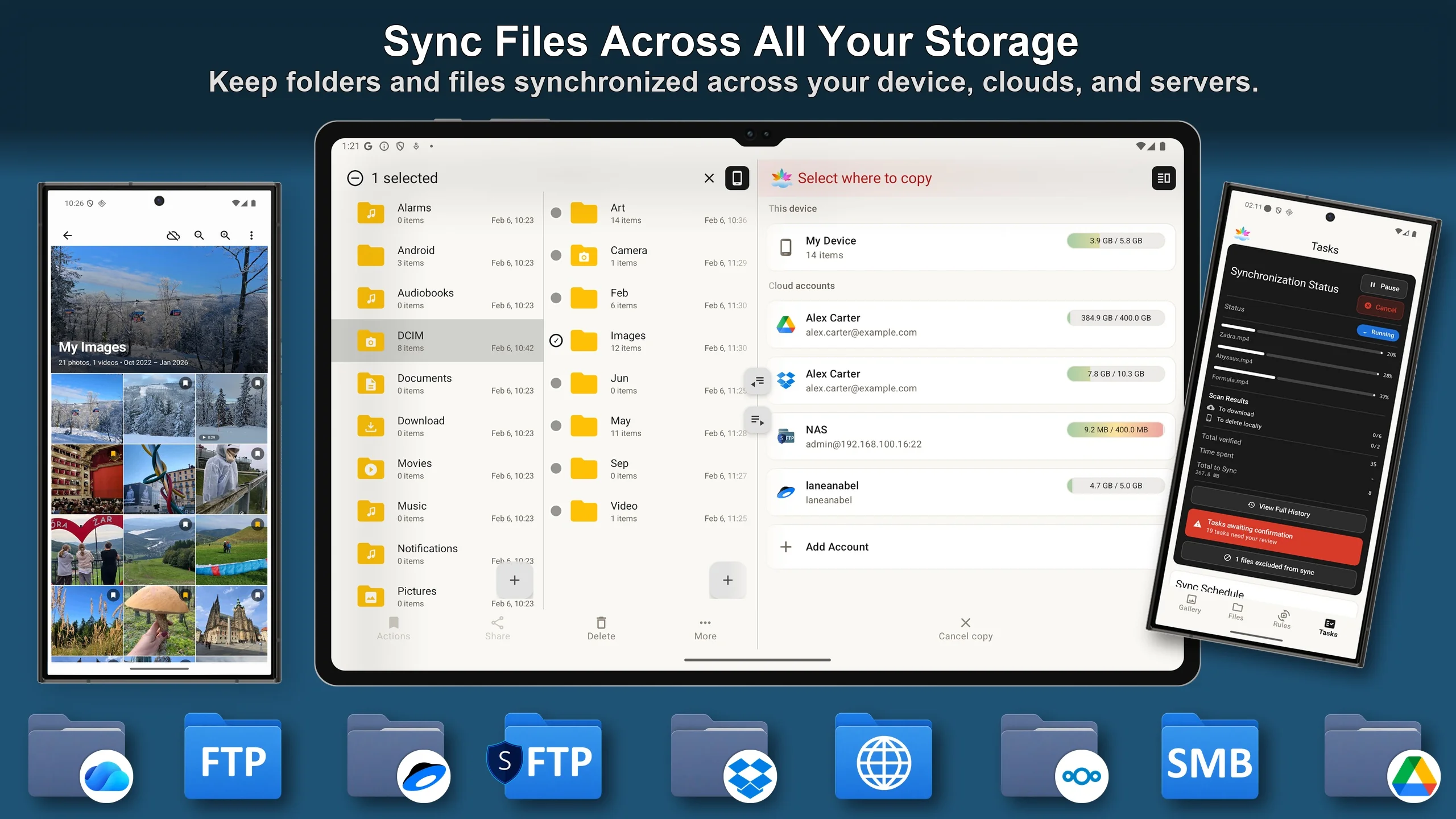
Until now, SyncGallery synced with Google Drive and OneDrive. Version 2.1 adds Dropbox, Yandex Disk, and Nextcloud, plus direct server protocols: FTP/FTPS, SFTP, SMB 2/3, and WebDAV.
The protocol support matters as much as the new cloud names. If you run a NAS at home, a Nextcloud instance, or any server you control, SyncGallery can now back up your photos and videos straight to it - no third-party cloud in the middle. Your choice of provider should be about who you trust with your files, not about what the app happens to support.
One File Explorer for everything
The new File Explorer lets you browse and manage files across every storage you have connected: device storage, clouds, and network servers, all in one place.
It is also sync-aware. Both the gallery and the explorer show you which files are in sync and which have different versions locally and in cloud or network storage - so you can see the state of your backup at a glance instead of guessing.
Back up from any app with Quick Upload
2.1 adds Quick Upload rules and Quick Send through Android's Share menu. Any app that can share - a chat app, a browser, a document scanner, a note app - can now send content straight to a destination you have set up in SyncGallery.
The useful part is what this covers: not just photos from your gallery, but anything other apps can share. A received document, a downloaded file, a voice note - if it can be shared, it can be backed up.
Straighten your shots with new geometry tools
The editor gains geometry corrections for both photos and videos: de-skew, trapezoid, and parallelogram. Photographed a document, a whiteboard, or a building at an angle? You can now square it up without leaving the app.
Why an explorer and an editor in a backup app?
SyncGallery's main purpose is file backup and sync, and that stays the priority. But we want you to have the tools you actually need in the same application: see your files, know their sync state, organize them wherever they live, and fix a crooked shot without a second app. Everything in 2.1 serves that idea - more places to put your files, and better tools to manage them once they are there.